
Get your messaging into Canva assets in 30 seconds
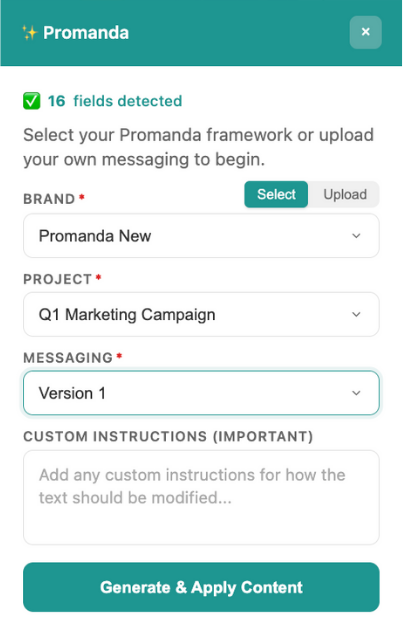
Stop staring at blank Canva templates. You find the perfect template, then spend 20 minutes figuring out what to write in it. We fixed that.
How It Works
1
Pick your Canva template
2
Upload your messaging (PDF, Word, txt)
3
Click apply
30 seconds later? Finished asset. Your words, their design.

Works with or without ProManda
Already using ProManda? Your messaging syncs automatically. Have messaging from somewhere else? Upload it and go.
Don’t have messaging yet?
FAQ
Cost?
Free.
What templates?
One-pagers, social posts, ads, carousels. One-page works best.
Do I need ProManda?
Nope. Just messaging to upload.
What formats?
PDF, Word, txt.
